Editor score 4.2 / 5
Clarifying the Checkout Decision for This Coupon Verification
Before checking out on fashion-reps, the real question isn't "Is there a coupon?" but whether the coupon applies to the current item, current shopping agent, current account, and current shipping region, and whether it will change the final amount due. After verification, you should be able to decide to proceed with checkout, modify your cart, or stop the order if conditions are incomplete. 🧾
This method applies to those who have already found a specific Cartier item and are ready to enter the shopping agent's checkout through the fashion-reps page. It does not apply to treating promotional language in search results as current offers, nor to estimating final costs without opening the checkout page.
Record Style, Variant, and Current Price from the fashionreps Product Page
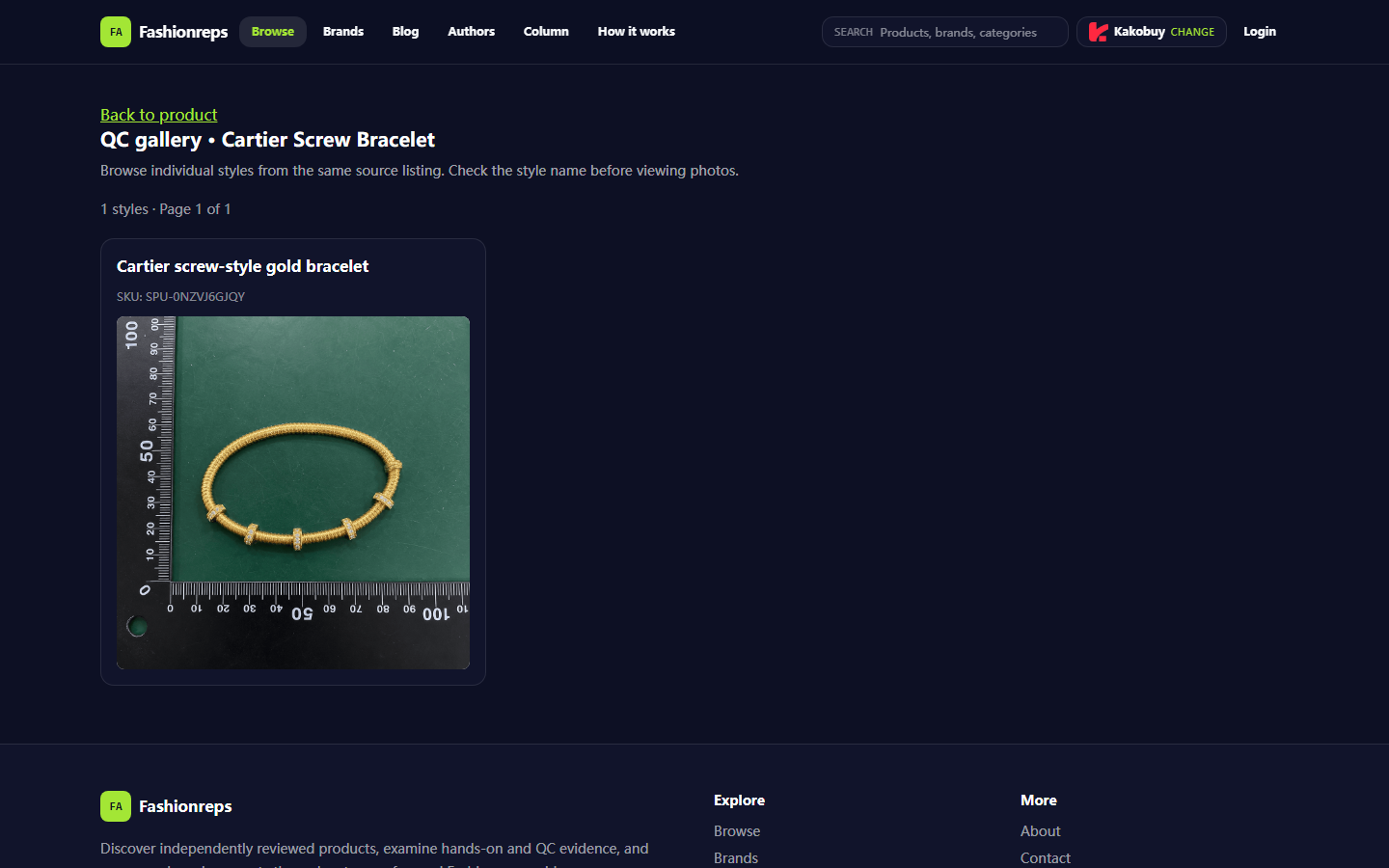
First, save the basic information from the product page or QC page: product name, style, SKU, variant, displayed price, page update time, and the redirect shopping agent. The given verification material comes from the Cartier Screw Bracelet QC page on fashion-reps. The visible product name on the page is "Cartier screw-style gold bracelet", the SKU is "SPU-0NZVJ6GJQY", and only 1 style is shown. It is not a Cartier watch page, so this record cannot be directly used as evidence of the watch's price, inventory, or coupon applicability.
The current material does not provide verifiable Cartier watch product price, inventory, or valid coupon code. If your cart indeed contains a watch, you should reopen the corresponding product page, confirm the product title and variant before recording the price; if the page title, image, and cart item do not match, stop the checkout first. Do not combine judgments just because of the same brand or similar appearance. ⌚

Find the Official Coupon Entry and Record Validity and Applicable Conditions
The fashion-reps page states that the product's purchase button will redirect to the selected shopping agent, and orders, payments, and shipping are handled by the shopping agent's website. The page material lists multiple optional agents, including Superbuy, Mulebuy, Sugargoo, CNFans, Pandabuy, etc., but does not provide a universal coupon code or unified discount rule applicable to all agents.
Therefore, coupon information should be verified separately according to the actual redirected agent:
- Enter the currently selected shopping agent's official coupon center, cart, or checkout page.
- Record the coupon name or code, applicable products, minimum spend, validity period, applicable regions, account restrictions, and whether new user qualification is required.
- Confirm whether the coupon applies to product amount, agent service fee, international shipping fee, or a specific logistics line.
- Record the verification date and currency. Discounts without clear validity, applicable scope, or official source should not be used as current offers.
As of the material this article is based on, there is no verifiable current coupon code or discount amount. Therefore, this can only explain the verification method and cannot guarantee that Cartier items can save money. 📅
Check Minimum Amount, Excluded Items, and Account or Region Restrictions
Compare the coupon's conditions item by item with the cart. The minimum amount should generally be based on the calculation method specified on the coupon page; you cannot arbitrarily mix product amount, service fees, and shipping fees. Also check whether the Cartier item falls under brand, luxury, special category, or other exclusion ranges; if the rules only say "some items apply", you must see the coupon actually accepted on the checkout page to consider it verified.
Also check the following restrictions:
- Whether the account must be logged in, or only for new users or users of a specific level.
- Whether the shipping country or region is within the applicable scope.
- Whether the items in the cart are from the same order, same agent, and same payment currency.
- Whether a specific payment method, specific logistics line, or reaching a certain amount is required for use.
- Whether stacking with other promotions is allowed, and how the stacking order is calculated.
- Whether the coupon will become invalid due to canceling items, changing quantity, splitting packages, or changing lines.
If the coupon conditions conflict with the checkout page results, the actual amount and prompts displayed on the checkout page before submitting the order shall prevail, and save screenshots or order previews. Do not buy unnecessary items to meet the threshold, and do not obtain discounts through splitting orders, misreporting amounts, or circumventing checks. ⚠️
Distinguish Product Amount, Service Fees, Payment Fees, and International Shipping
The final amount due should be verified separately. Different shopping agents may have different fee items and coupon calculation methods, so you cannot estimate the total based only on the product's listed price.
| Fee Item | What to Confirm Before Checkout | Is Coupon Always Applicable |
|---|---|---|
| Product Amount | Product unit price, quantity, variant, and currency | Not necessarily, depends on coupon scope |
| Agent Service Fee | Purchasing, warehousing, inspection, or other service fees | Not necessarily, need to check official rules |
| Payment Fees | Handling fees or exchange rate differences from payment method | Usually need to confirm separately |
| International Shipping | Destination country, package weight, volume, route, and surcharges | May be limited to specific routes |
| Taxes and Customs-related Fees | Destination country taxes, import restrictions, and carrier requirements | Usually should not be assumed included |
Combining packages may reduce repeated initial weight or handling costs, but may also increase volumetric weight, package value, and one-time loss risk; splitting packages may increase fixed costs but sometimes solves route or restriction issues. There is no data on the current order's weight, volume, destination country, and route, so the savings cannot be calculated, and it cannot be guaranteed that combining packages is cheaper.
Confirm Item-by-Item on the Checkout Page Whether the Coupon Actually Takes Effect
After entering the actual shopping agent's checkout page, check in the following order:
- Confirm that the product name, style, quantity, and price are consistent with the product page record.
- Confirm that the coupon has been accepted by the system, not just displayed in the coupon center or input box.
- Compare the product amount, service fees, payment fees, and international shipping before and after use.
- Check for prompts such as "minimum amount not met", "item not applicable", "region not supported", or "coupon expired".
- Confirm currency, exchange rate, tax description, and final payment amount.
- Save order preview, coupon status, and fee details before submitting payment.
Only when the checkout page clearly shows that the coupon has taken effect and the final amount, after recalculation, still meets your budget, can it be considered a valid coupon. When the discount amount does not change the total price, or the coupon only offsets items that do not affect this payment, it should not be described as actual savings.
Stop Rules When No Current Coupon Code or Conditions Are Incomplete
If any of the following occurs, stop the order and wait for verifiable information:
- Cannot find the shopping agent's official coupon instructions.
- Key conditions such as validity period, applicable region, or minimum amount are missing.
- The page shows a different product, for example, the Cartier bracelet page in the given material, while the cart intends to purchase a watch.
- The checkout page rejects the coupon, or the discount amount is inconsistent with the promotional information.
- The fee breakdown is incomplete, and it cannot be confirmed whether service fees, payment fees, shipping fees, or taxes are charged separately.
- The so-called savings require underreporting, splitting orders to avoid taxes, or circumventing import checks.
Stopping does not mean the coupon definitely does not exist, but that the current evidence is insufficient to support a safe, compliant, and reviewable payment decision. 🛑
Final Action Checklist Before Placing the Order
Before placing the order, save the following records:
- Accurate title, style, variant, SKU, and current page price of the Cartier item.
- The actually selected shopping agent and its checkout page.
- Official source, verification date, validity period, minimum amount, and exclusions of the coupon.
- Product amount, service fees, payment fees, and international shipping before and after using the coupon.
- Destination country, currency, estimated taxes, or customs instructions.
- Order preview showing the coupon has taken effect on the checkout page.
If the coupon indeed reduces the final amount due, record the specific amount saved, as well as new risks, such as being required to use a specific route, the coupon cannot be stacked, the package value increases, or refund conditions are restricted. This plan is only suitable for those who have confirmed product information, agent rules, and destination country fees; it is not recommended when the product identity is unclear, coupon conditions are missing, fees are not broken down, or customs rules need to be circumvented. ✅